

If you’ve ever finished a long day at your desk and felt like your eyes were scraped raw, your head throbbed, or your neck ached from staring at a screen - you’re not alone. Computer Vision Syndrome is the real, measurable condition behind that discomfort. It’s not just "getting tired" - it’s your eyes and body struggling to keep up with the demands of digital screens. And with most people spending over six hours a day in front of screens, this isn’t a rare problem. It’s becoming the new normal.
What Exactly Is Computer Vision Syndrome?
Computer Vision Syndrome (CVS), also called digital eye strain, isn’t a single symptom. It’s a group of problems that happen when your eyes and brain are forced to focus on digital screens for too long without a break. The American Optometric Association says 65% of Americans experience symptoms, and studies show between 50% and 90% of regular computer users have at least one sign of CVS.
It’s not just about blurry vision. Symptoms include:
- Eye strain and burning sensations
- Headaches (often worse at the end of the day)
- Blurred or double vision
- Dry, gritty, or watery eyes
- Neck, shoulder, and back pain
- Sensitivity to light
These aren’t minor annoyances. Workplace studies show CVS can reduce productivity by up to 20%. That means you’re working slower, making more mistakes, and feeling more drained - all because your eyes can’t keep up with the screen.
Why Your Eyes Are Struggling
Your eyes weren’t built for screens. Printed text has sharp edges and high contrast. Screens? They’re made of tiny glowing pixels that flicker and blur slightly. Your eyes have to work harder to focus on them. On top of that, when you’re staring at a screen, you blink about 66% less than normal - from 15 times a minute down to just 5. Less blinking means your tear film evaporates faster, leaving your eyes dry and irritated.
Plus, your ciliary muscles - the ones that adjust your lens to focus - stay locked in tension when you’re looking at something close. That constant strain leads to fatigue, headaches, and even temporary nearsightedness after long screen sessions.
And it’s not just the screen. If your monitor is too high, too low, too close, or too far, your neck and eyes are forced into awkward positions. Glare from windows or overhead lights cuts screen contrast by up to 50%, forcing your eyes to work even harder. Even uncorrected vision problems like astigmatism or early presbyopia (which affects over 128 million Americans over 40) make CVS symptoms worse.
The 20-20-20 Rule: The Simplest Fix
One of the most effective, science-backed ways to reduce eye strain is the 20-20-20 rule. Every 20 minutes, look at something 20 feet away for at least 20 seconds. It sounds too easy to work - but it does.
Clinical data from the St. Peter Eyecare Center shows this simple habit reduces CVS symptoms by 53%. Why? Because it gives your focusing muscles a chance to relax. It resets your blink rate. It lets your eyes refocus on distant objects, which helps prevent that "locked-in" tension.
You don’t need an app - though tools like EyeLeo or Time Out (both free) can remind you. Just set a timer. Stand up. Walk to the window. Look out at a tree, a building, or the horizon. Don’t check your phone. Just look far away. That’s it.
Screen Position and Lighting: The Silent Killers
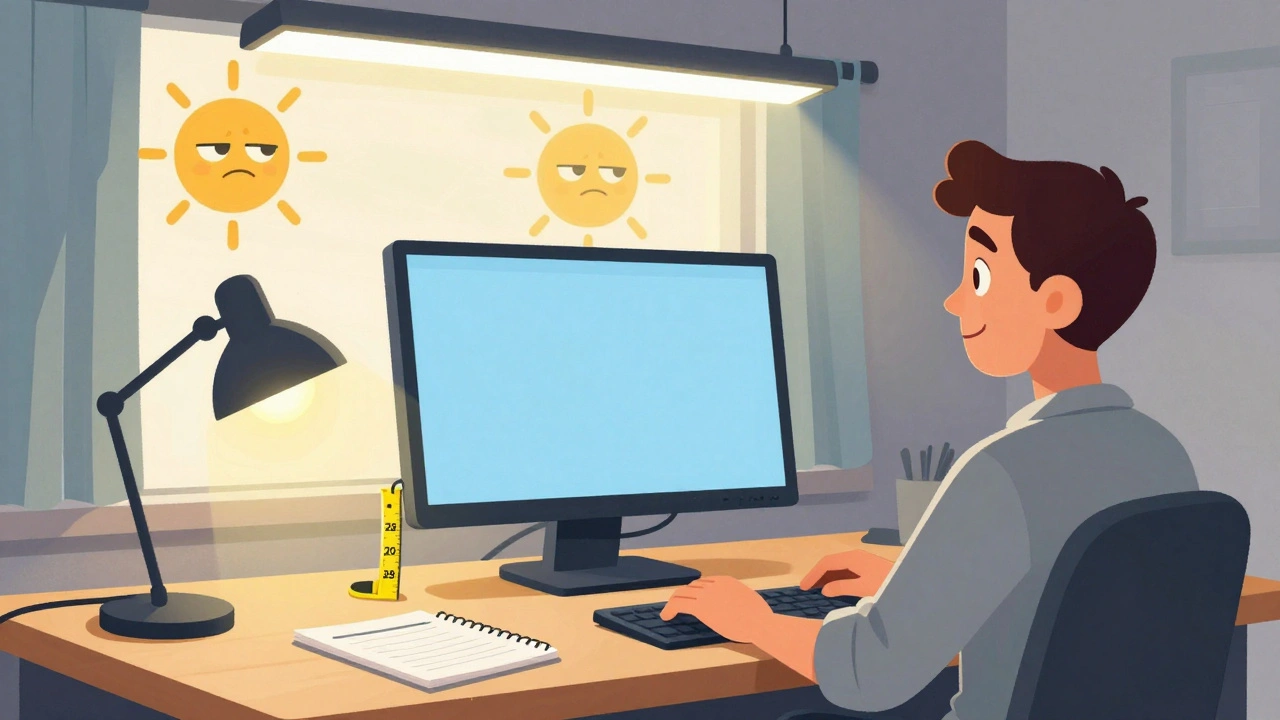
Your screen’s position matters more than you think. If it’s too high, you’re looking up - straining your neck and exposing more of your eye surface to dry air. If it’s too low, you’re hunching. The ideal spot? The top of your screen should be at or just below eye level. That means you’re looking slightly downward - about 15 to 20 degrees. This reduces neck strain by 30% and eye fatigue by 40%.
Distance? Keep your screen 20 to 28 inches from your eyes. Use a tape measure. Don’t guess. If you’re leaning in, you’re making your eyes work harder.
Lighting is just as important. Standard office lighting (750-1000 lux) is way too bright for screen work. Aim for 300-500 lux - dimmer, softer light. Use blinds or curtains to cut glare from windows. Position your desk so screens aren’t facing bright lights. Use a desk lamp with a warm bulb to light your papers, not your screen.
Turn down your screen brightness until it matches the room. If your screen looks like a light source, it’s too bright. Set it to 50-70% of max. Use your device’s built-in night mode (Night Shift on iPhone, Night Light on Windows) - they reduce blue light emission by 30-50% after sunset.
Blue Light Glasses: Do They Work?
Blue light glasses are everywhere. But here’s the truth: they’re not a magic fix.
Some users swear by them. On Reddit’s r/Bluelightglasses community, 68% of users reported better comfort. Many with dry eyes say the reduction in glare helps. But the science is mixed. The American Academy of Ophthalmology says there’s little evidence blue light from screens damages your eyes - and that blue light filters offer only a 15% extra benefit over regular clear lenses in double-blind trials.
That doesn’t mean they’re useless. If you’re sensitive to glare, or you use screens late at night and have trouble sleeping, they might help. But don’t buy them thinking they’ll solve your eye strain. If you’re still having symptoms after adjusting your screen, lighting, and taking breaks, blue light glasses won’t fix the real problem.
Eye Drops and Prescription Help
If your eyes feel dry, gritty, or irritated, artificial tears can make a huge difference. Use preservative-free lubricating drops 2-4 times a day. Studies show 78% of users see improvement within a week.
And there’s new hope: in May 2023, the FDA approved EYSUVIS 0.25%, the first prescription eye drop specifically for dry eye caused by digital screen use. It’s not for everyone - but it’s a sign that doctors now recognize this as a real medical issue.
But here’s the most important step: get a comprehensive eye exam - not just a vision check. The American Optometric Association says 70% of CVS cases involve uncorrected vision problems. You might think you see fine, but your eyes could be struggling to focus at screen distance. A computer-specific prescription - with different lens power for your monitor - can cut symptoms dramatically. Get one every year if you use screens heavily.

Real People, Real Results
A software developer in Sydney started using the Time Out app to remind him to take 20-20-20 breaks. Within three weeks, his daily headaches dropped from five days a week to just one.
A graphic designer adjusted her monitor height to eye level and noticed her chronic neck pain vanished in ten days.
A university student bought blue light glasses, but her symptoms came back. A full eye exam revealed she had uncorrected astigmatism. Once she got the right prescription, everything improved.
These aren’t outliers. Cleveland Clinic’s survey of over 2,000 CVS patients found 89% improved with a combination of changes - not just one fix.
What You Can Do Today
You don’t need expensive gear or a full office overhaul. Start here:
- Set a timer for 20 minutes. When it goes off, look away for 20 seconds. Do this every day.
- Measure your screen distance. Make sure it’s 20-28 inches from your eyes.
- Adjust your monitor so the top is at or just below eye level.
- Turn down your screen brightness to match the room.
- Use free night mode on your phone or computer after sunset.
- Use preservative-free eye drops if your eyes feel dry - 2-4 times a day.
- Schedule a comprehensive eye exam. Ask for a computer vision assessment.
These aren’t just tips. They’re proven, science-backed steps that work. And they cost little to nothing.
The Future Is Here
Screen time isn’t going down. In 2023, the global average was nearly 7 hours a day. By 2025, the American Optometric Association predicts 75% of digital users will have CVS symptoms.
But things are changing. Apple and Microsoft now build screen time management tools into their operating systems. Dell and ASUS are adding flicker-free tech and auto-brightness to monitors. Fortune 500 companies are adding CVS prevention to workplace wellness programs.
As Dr. Andrea Thau, president of the American Optometric Association, says: "CVS prevention will become as essential as dental hygiene." You wouldn’t skip brushing your teeth. Don’t skip protecting your eyes.
Your vision is irreplaceable. The fix isn’t complicated. It just takes awareness - and a few small changes every day.
Is computer vision syndrome permanent?
No, CVS symptoms are temporary and improve once you reduce screen time and make ergonomic changes. But if ignored, chronic strain can lead to long-term discomfort and worsen existing vision problems. The key is consistent prevention - not waiting until it hurts.
Do blue light glasses help with computer vision syndrome?
They may help some people, especially with glare or sleep issues, but they’re not a cure. Clinical studies show only a 15% extra benefit over regular glasses. The real fixes are screen distance, lighting, the 20-20-20 rule, and proper eye exams.
How often should I get an eye exam if I use screens all day?
Once a year. If you’re over 40, or you already wear glasses, your eye doctor may recommend more frequent checkups. A standard vision test won’t catch screen-specific focusing issues - ask for a computer vision assessment.
Can children get computer vision syndrome?
Yes. Kids are spending more time on tablets and phones than ever. Their eyes are still developing, and they often don’t complain about discomfort. Watch for squinting, rubbing eyes, or holding devices too close. Limit screen time and encourage outdoor play - natural light helps healthy eye development.
Are there free tools to help prevent digital eye strain?
Yes. Use built-in features like Night Light (Windows) or Night Shift (Mac/iOS) to reduce blue light. Free apps like EyeLeo and Time Out can remind you to take breaks. The American Optometric Association offers a free online CVS self-assessment tool. And the 20-20-20 rule costs nothing.


Comments (8)